CulturesBook Logo
    • Pencarian Lanjutan
  • Tamu
    • Gabung
    • Daftar
    • Mode malam
Devid Camp Cover Image
User Image
Seret untuk memposisikan ulang penutup
Devid Camp Profile Picture
Devid Camp

@1774435675941472_74263

  • Linimasa
  • Grup
  • Suka
  • Mengikuti
  • pengikut
  • Foto
  • Video
Devid Camp profile picture Devid Camp profile picture
Devid Camp
3 di - Menerjemahkan

Why Choose Family Tree Maker 2024 for Family History Projects?

Choosing genealogy software depends on your research goals, preferred workflow, and computer requirements. Family Tree Maker 2024 may be a suitable option for people who want to organize relatives, document historical details, add photographs, and create family history charts or reports. Its project-based approach can help keep information about multiple generations together.
Visit now: https://familytreemakersupport.....com/family-tree-mak

Family Tree Maker 2024: Features, Upgrade & Guide
familytreemakersupport.com

Family Tree Maker 2024: Features, Upgrade & Guide

Explore Family Tree Maker 2024 features, system requirements, upgrade steps, installation, activation, troubleshooting, and expert tips.
Suka
Komentar
Membagikan
Devid Camp profile picture Devid Camp profile picture
Devid Camp
14 di - Menerjemahkan

FamilySearch Login To Family Tree Maker

FamilySearch login helps Family Tree Maker users access valuable genealogy records and continue researching their family history with ease. Through FamilySearch genealogy, you can explore historical documents, discover ancestors, verify family relationships, and find important details about births, marriages, census records, and deaths. For Family Tree Maker users, FamilySearch can be a useful research resource when expanding or checking information in a family tree. If you face FamilySearch login problems, verify your account credentials, internet connection, and software updates.

FamilySearch Login To Family Tree Maker - Instant Support
familytreemakersupport.com

FamilySearch Login To Family Tree Maker - Instant Support

How to use FamilySearch Login in family tree maker 2019. We have detailed information in this article with explaining features.
Suka
Komentar
Membagikan
Devid Camp profile picture Devid Camp profile picture
Devid Camp
17 di - Menerjemahkan

Family Tree Maker: The Best Genealogy Software to Preserve Your Family History

Discover how Family Tree Maker helps you build, organize, and preserve your family history with powerful genealogy tools. Easily create detailed family trees, manage photos and historical records, generate professional charts and reports, and sync your research with Ancestry using FamilySync. Whether you're a beginner or an experienced genealogist, Family Tree Maker offers an intuitive experience for exploring your ancestry.

Family Tree Maker Support - +1-888-257-3335
familytreemakersupport.com

Family Tree Maker Support - +1-888-257-3335

Family Tree Maker Support is software which helps connect families together. Family Tree Maker software is available for Windows and Mac.
Suka
Komentar
Membagikan
Devid Camp profile picture Devid Camp profile picture
Devid Camp
18 di - Menerjemahkan

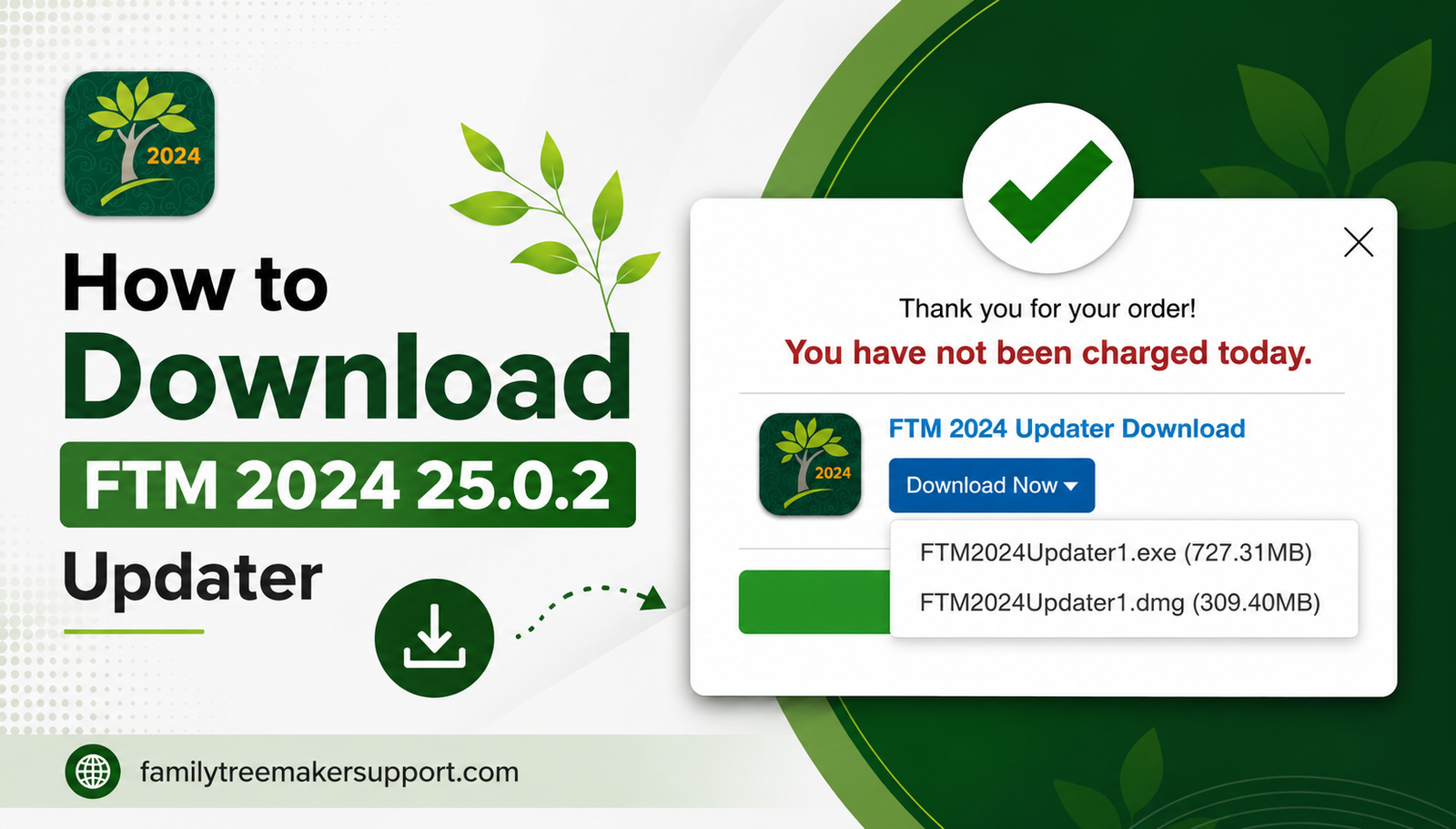
How to Get the Family Tree Maker 2024 25.0.2 Updater?

Family Tree Maker helps you preserve, organize, and expand your family history with powerful genealogy tools designed for researchers of all experience levels. Whether you are managing a large family tree, adding historical records, or syncing your research, keeping your software updated ensures the best performance and security. Family Tree Maker 2024 Upgrade (25.0.2 Updater) delivers improved stability, bug fixes, enhanced compatibility, and a smoother user experience for everyday genealogy tasks.

How to Upgrade to FTM 2024 25.0.2 Updater?
familytreemakersupport.com

How to Upgrade to FTM 2024 25.0.2 Updater?

Update Family Tree Maker 2024 to version 25.0.2 with our complete guide covering eligibility, download, installation, and update steps.
Suka
Komentar
Membagikan
Devid Camp profile picture Devid Camp profile picture
Devid Camp
21 di - Menerjemahkan

How to Choose a Status for a Couple’s Relationship in Family Tree Maker 2024

Building an accurate family tree begins with recording every relationship correctly. Each family connection tells an important story that deserves to be preserved for future generations. Choose a status for a couples relationship to reflect whether partners are married, engaged, divorced, separated, or in a committed union. Using the correct relationship status improves the accuracy of your genealogy records, simplifies family research, and ensures your family history remains organized, reliable, and meaningful for years to come.

Choose a Status for a Couple's Relationship in FTM 2024
familytreemakersupport.com

Choose a Status for a Couple's Relationship in FTM 2024

Learn how to choose a couple's relationship status in Family Tree Maker 2024. Keep family records accurate with this step-by-step guide.
Suka
Komentar
Membagikan
 Muat lebih banyak posting
    Info
    • Pria
    • posting 9
  • Tinggal di United States
    Album 
    (0)
    Mengikuti 
    (20)
    pengikut 
    (25)
    Suka 
    (0)
    Grup 
    (0)

© {tanggal} {nama_situs}

Bahasa

  • Tentang
  • Blog
  • Hubungi kami
  • Lagi
    • Kebijakan pribadi
    • Syarat Penggunaan
    • Minta Pengembalian Dana
    • Sound Library

Batalkan pertemanan

Anda yakin ingin membatalkan pertemanan?

Laporkan pengguna ini

Penting!

Yakin ingin menghapus anggota ini dari keluarga Anda?

Anda telah mencolek 1774435675941472_74263

Anggota baru berhasil ditambahkan ke daftar keluarga Anda!

Pangkas avatar Anda

avatar

Sempurnakan gambar profil Anda

Saldo Tersedia

0

Gambar-gambar


© {tanggal} {nama_situs}

  • Rumah
  • Tentang
  • Hubungi kami
  • Kebijakan pribadi
  • Syarat Penggunaan
  • Minta Pengembalian Dana
  • Blog
  • Lagi
    • Sound Library
  • Bahasa

© {tanggal} {nama_situs}

  • Rumah
  • Tentang
  • Hubungi kami
  • Kebijakan pribadi
  • Syarat Penggunaan
  • Minta Pengembalian Dana
  • Blog
  • Lagi
    • Sound Library
  • Bahasa

Komentar berhasil dilaporkan.

Pos berhasil ditambahkan ke linimasa Anda!

Anda telah mencapai batas 5000 teman!

Kesalahan ukuran file: File melebihi batas yang diizinkan (244 MB) dan tidak dapat diunggah.

Video Anda sedang diproses, Kami akan memberi tahu Anda jika sudah siap untuk dilihat.

Tidak dapat mengunggah file: Jenis file ini tidak didukung.

Kami telah mendeteksi beberapa konten dewasa pada gambar yang Anda unggah, oleh karena itu kami telah menolak proses unggahan Anda.

Bagikan pos di grup

Bagikan ke halaman

Bagikan ke pengguna

Postingan Anda telah dikirim, kami akan segera meninjau konten Anda.

Untuk mengunggah file gambar, video, dan audio, Anda harus meningkatkan ke anggota pro. Upgrade ke yang lebih baik

Sunting Penawaran

0%

Tambahkan tingkat


Pilih gambar
Hapus tingkat Anda
Anda yakin ingin menghapus tingkat ini?

Untuk menjual konten dan postingan Anda, mulailah dengan membuat beberapa paket. Monetisasi

Bayar Dengan Dompet

Tambahkan Paket

Hapus alamat Anda

Anda yakin ingin menghapus alamat ini?

Hapus paket monetisasi Anda

Apakah Anda yakin ingin menghapus paket ini?

Berhenti berlangganan

Apakah Anda yakin ingin berhenti berlangganan dari pengguna ini? Ingatlah bahwa Anda tidak akan dapat melihat konten mereka yang dimonetisasi.

Peringatan Pembayaran

Anda akan membeli item, apakah Anda ingin melanjutkan?
Minta Pengembalian Dana

Bahasa

  • Arabic
  • Bengali
  • Chinese
  • Croatian
  • Danish
  • Dutch
  • English
  • Filipino
  • French
  • German
  • Hebrew
  • Hindi
  • Indonesian
  • Italian
  • Japanese
  • Korean
  • Persian
  • Portuguese
  • Russian
  • Spanish
  • Swedish
  • Turkish
  • Urdu
  • Vietnamese